Vehicle as Code - executable specification
RemotiveTopology orchestrates virtual, hybrid, and physical vehicle nodes - a stack-neutral integration layer that lets OEM and Tier 1 teams develop and validate SDV software long before silicon and test benches exist. Vehicle as Code brings you the ability to execute at vehicle level from day one, including the nodes that matter most: AD/ADAS, infotainment, and the full E/E communication.

The harness for Software Defined Vehicles
RemotiveTopology turns your existing E/E architecture into a running environment supporting testing, prototyping and development processes from day one to SOP. Explore live communication, test software virtually, and connect real hardware - all from the same platform. Everything is described in standardized text files. This simplifies version control, eliminates tool silos, and ensures every team member works from the same source of truth. Describe the architecture. Define what to instantiate and how. Run vehicle-level test cases - from SIL on a laptop to a full HIL rig.
What is Vehicle as Code?
Infrastructure as Code transformed how software teams manage servers and cloud environments - declarative, version-controlled, reproducible. RemotiveTopology's Vehicle as Code (VaC) approach brings the same principle to the E/E architecture. It enables a modular way of describing platforms and instances. The E/E architecture, ECU configurations, and different environments live in version-controlled text files. Industry-standard formats (ARXML, DBC, LDF, FIBEX) are used to describe the vehicle. In the instance file you describe what you run and how.
Key benefits with Vehicle as Code:
- When SIL is in code everyone sees the same environment when using the same version.
- Existing artefacts become runnable and shareable across teams for early integration testing.
- HIL setups are easier to debug and replicate on new rigs by removing manual steps.
- Continuous integration catches version mismatches early.

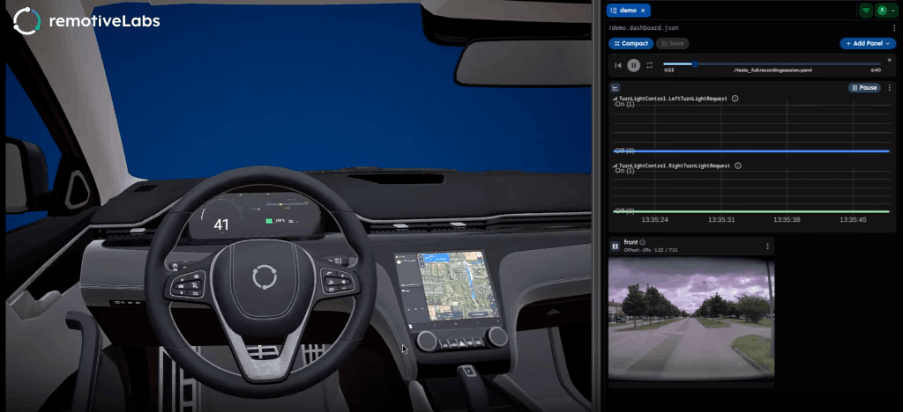
Example of RemotiveTopology Vehicle-as-Code instantiating the BCM ECU as a Python Behavioral Model and then interacting via RemotiveStudio.
Executable vehicle - from simple text files
[url_intern=/products/remotivetopology]RemotiveTopology turns the vehicle into an executable specification[/url] using the source code as text files. Having everything in text caters to a modern developer experience and has additional benefits:
Version control - viewing, merging, and tracking changes like any source code.
Access control - use the same policies as the rest of your codebase/source code.
No tool lock-in - any tool that reads the file format works; no expensive licences required for basic access.
AI-ready - agents work naturally with text files; proprietary click-based tooling blocks productive AI integration.
Describe and emulate the E/E architecture
The vehicle platform in RemotiveTopology covers all ECUs, communication channels, and signal encoding - combining existing database files (ARXML, DBC, LDF, FIBEX) using a straightforward format (YAML). This is the foundation that gives OEMs, Tier 1s, and technology providers a working Vehicle as Code setup. The format also allows you to add information missing from existing files. For example, combining ARXML with DBC and setting the baudrate on a channel:
includes:
 - ./databases/my-ecu.arxml
channels:
  DriverCan:
    type: can
    database: ./databases/driver_can.dbc
    baudrate: 500000
RemotiveLabs provides free lightweight tools including RemotiveCLI and RemotiveStudio so that every team member can view and inspect architecture files including ARXML, DBC, FIBEX. A RemotiveTopology license is only required when you want to run the topology.
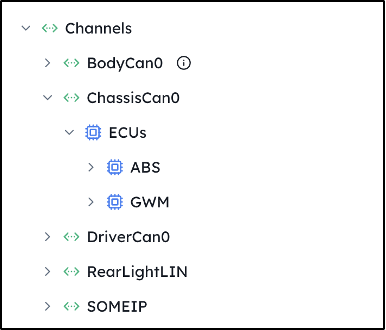
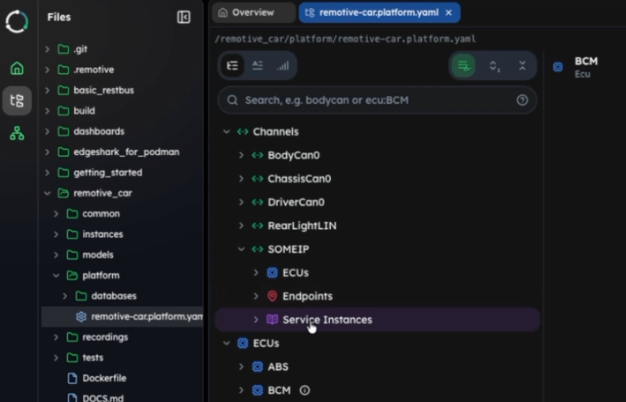
View, navigate and explore ARXML or DBC files in RemotiveStudio. This example shows the actual tree structure view of the vehicle platform derived directly from a database file.
When the E/E architecture lives in Git alongside all other source code, it becomes the single source of truth. CI jobs catch version mismatches automatically and vehicle-level integration testing can left-shift and start early.
Running and maturing the executable vehicle
Once the architecture is described, instantiate it with a single text file. By default, all selected ECUs run as virtual mocks - giving you an immediately inspectable network environment.
You rarely need the full vehicle or E/E architecture. Start with the subsystem you are working on and describe the instance in a simple text-based file - for example, three mock ECUs:
platform:
  includes:
    - ./main.platform.yaml
ecus:
  ABS:
    mock: {}
  BCM:
    mock: {}
  GWM:
    mock: {}
Each ECU runs as a container (Docker or Podman), connected via virtual networks such as SocketCAN. To replace a mock with real production code, all you have to do is provide a Dockerfile and then replace the mock with this container:
ecus:
  BCM:
    container:
      build:
        dockerfile: ../ecus/abs/Dockerfile
Hardware nodes slot in just as easily - example below of specifying the CAN device that represents the Channel and that the GWM ECU is not part of the virtual environment.
channels:
  ChassisCan0:
    type: can
    driver:
      type: remotivebus
      config:
        type: can
        host_device: can0
ecus:
  GWM:
    external: {}
Create hybrid environments spanning SIL and HIL by combining ECUs running as mocks, with ECUs running as containers, with other ECUs running on hardware.
Multi-domain: run the E/E architecture with ADAS & Infotainment
An advantage of Vehicle as Code is the ability to run key nodes such as ADAS and infotainment together with the context of the full E/E architecture. This enables holistic integration testing from the start, not just near SOP.
Running nodes inside a realistic virtual vehicle network means teams can validate behavior together with cross-ECU dependencies and bus communication - surfacing issues that isolated testing would miss. Explore multi-domain executable vehicle example on GitHub.
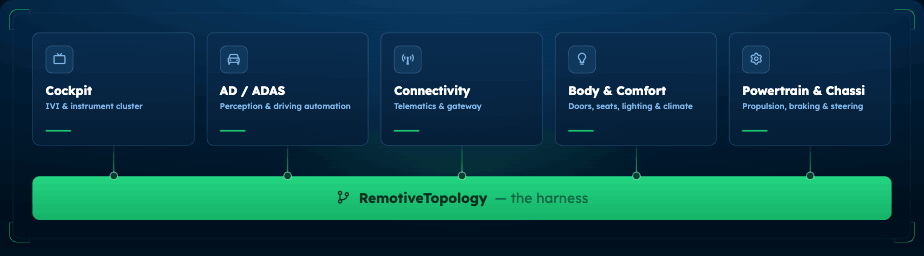
System-level behavior becomes visible early withRemotiveTopology as the harness for virtual vehicle validation: [url_intern=/products/remotivetopology]RemotiveTopology[/url] connects domains in a single source of truth and version controlled E/E architecture.
Vehicle harness for AI
A test harness wraps a unit under test so you can observe and control its behavior. RemotiveTopology provides that harness for the full vehicle environment - making both developers and AI agents productive throughout the entire development cycle, from early SIL to beyond SOP. When the information is accessible in text files and the vehicle is executable, integrations that would take weeks can happen in an afternoon.
.png)
How a non-android developer built and integrated an instrument cluster in 4 hours:
- RemotiveTopology's text-based architecture provides a legible foundation - query signals, trace ECU ownership, inspect encoding.
- Having the vehicle executable in RemotiveTopology provides the ability to deploy, trigger, and observe behavior in a live virtual environment.
Top use cases - executable vehicle
Use RemotiveTopology to run your full E/E architecture as code, from virtual mocks to full HIL rigs, with ADAS and infotainment in the loop from day one.
Examples of how teams validate earlier and avoid late-stage surprises.
RemotiveLabs and Arm combine virtualized Arm-based compute with cloud-native simulation to build, test, and validate automotive software before hardware exists.
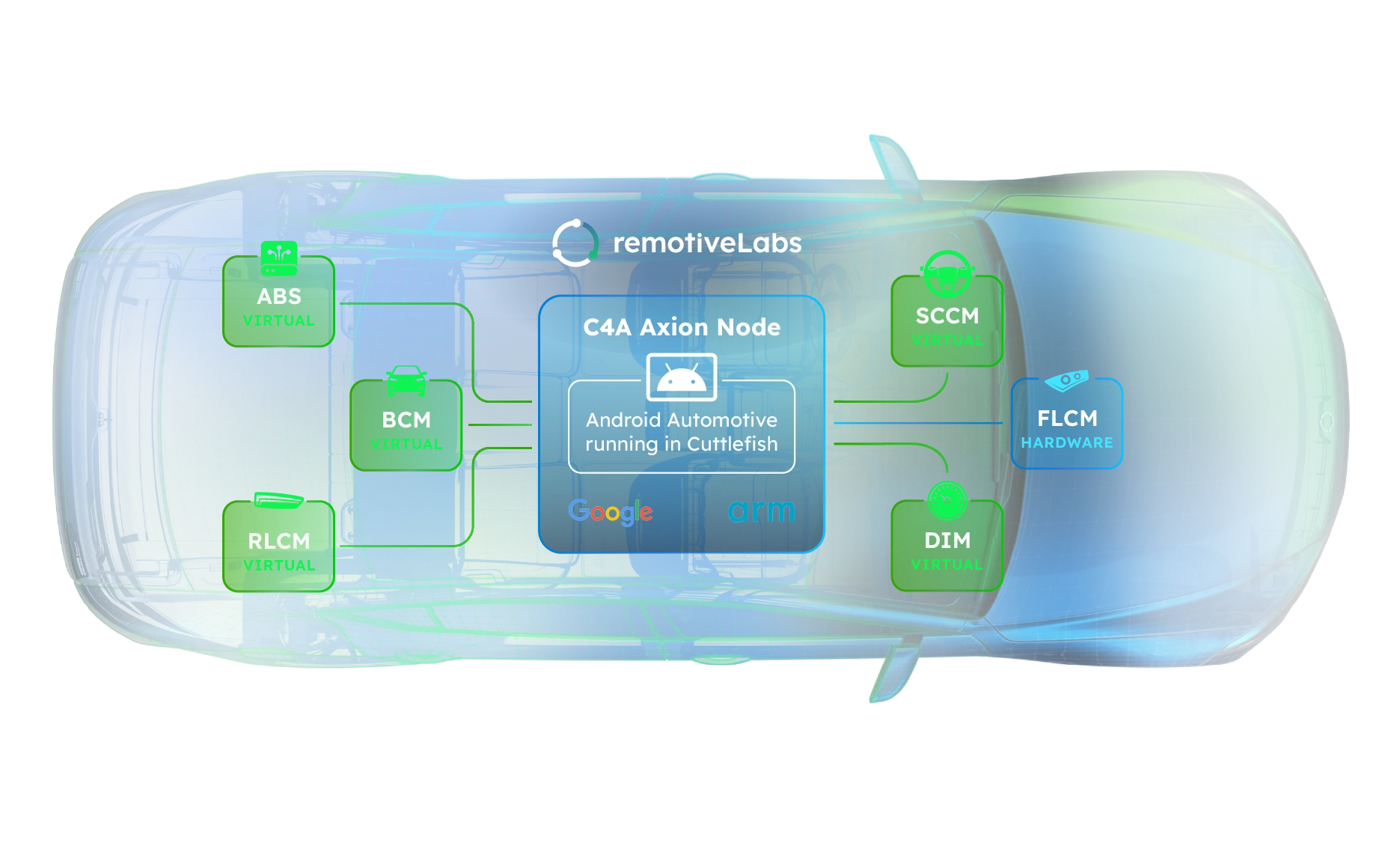
Kaizenics, RemotiveLabs, Bosch and partners in the digital.auto community connect engineering data, agentic orchestration, and executable vehicle environments into one development loop. SDV Forge is a vendor-neutral execution framework that makes early, continuous vehicle-level integration operational for OEMs.
.jpg)
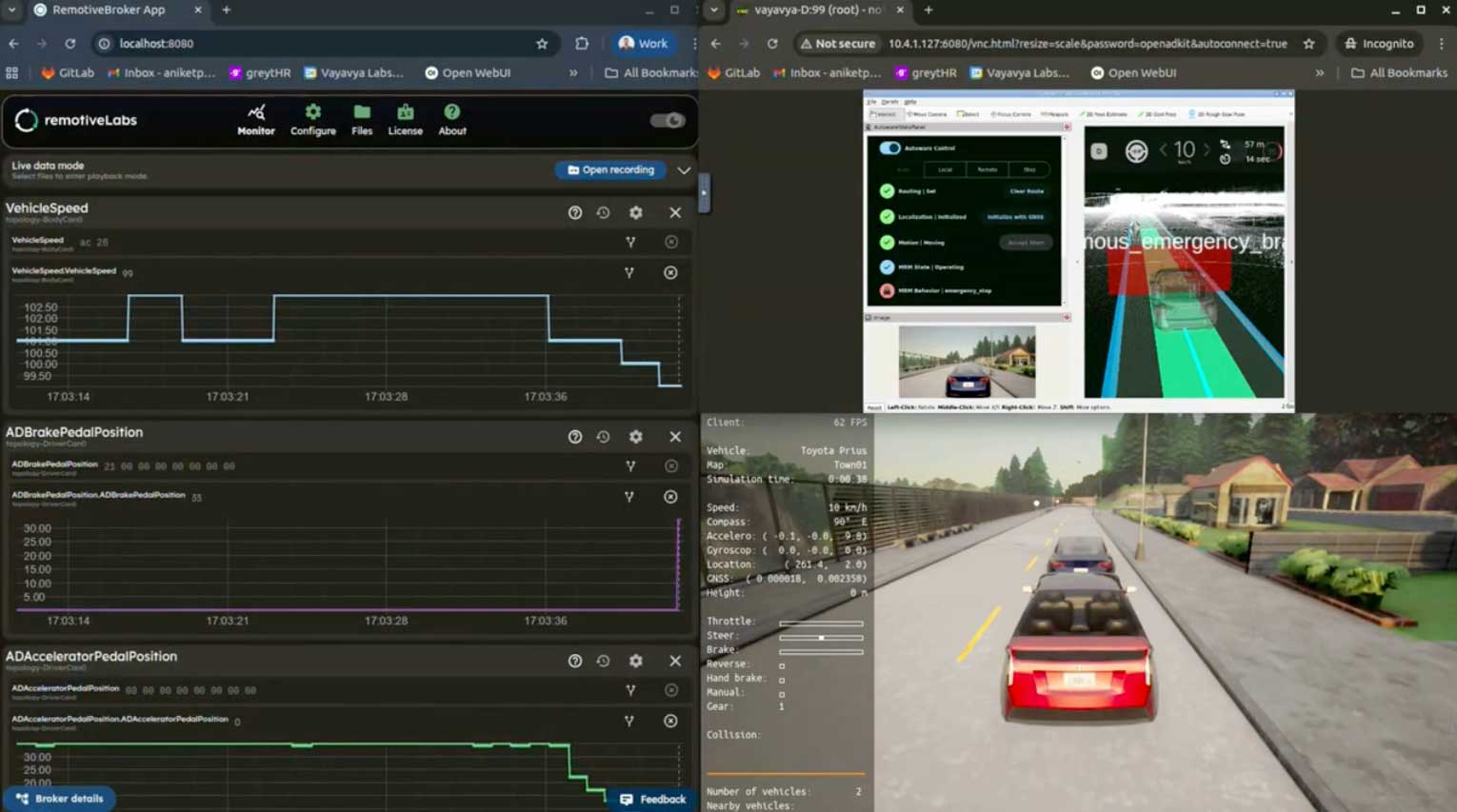
RemotiveLabs and Vayavya Labs combine Autoware, CARLA, and RemotiveTopology to run an autonomous driving stack inside a realistic virtual vehicle network - closed-loop, from week one.
RemotiveLabs and HERE Technologies run a full virtual cockpit - navigation, instrument cluster, and 3D cabin rendering - all integrated within RemotiveTopology, no hardware required.

Blog posts related to vehicle virtualization

.png)
.jpg)
.jpg)

Join the automotive rebels that #getstuffdone with RemotiveLabs!