ECU testing with lightweight restbus simulation
Learn how to use the RemotiveTopology suite of tools to perform lightweight restbus simulation (CAN, LIN, Ethernet, Flexray) and test both virtual and hardware ECUs.
ECU testing with lightweight restbus simulation
Learn how to use the RemotiveTopology suite of tools to perform lightweight restbus simulation (CAN, LIN, Ethernet, Flexray) and test both virtual and hardware ECUs.
Testing a single ECU in a realistic environment
When a single ECU is the device under test, you often want to validate it in isolation while still exposing it to conditions that closely resemble a real vehicle. In practice, this is difficult. ECUs typically communicate over physical network communication buses, and their behavior depends heavily on the timing and content of messages from other nodes on the same network.
Take for example an ECU on a CAN network which performs an expensive computation. You want to ensure that the performance meets its targets in a few different scenarios, and continues to do so as you flash newer versions of software. To achieve this, you need a way to simulate all connected ECUs and replay identical scenarios across test runs.
Restbus simulation CAN, LIN, Ethernet, Flexray with RemotiveTopology
RemotiveTopology is a tool for simulating entire vehicle platforms, with a strong focus on the communication channels. It can be used to send and receive data and to visualize it.
One of its features is the ability to represent an ECU as a restbus, independently of vehicle network type (CAN, LIN, Ethernet, FlexRay). A restbus is a component that continuously emits frames and signals based on a signal database specification. By programmatically updating the values of signals, scenarios can be easily constructed.
You can also use the tool to observe signals, allowing you to validate outputs produced by the ECUs in the system.
From DBC to realistic testing - instantiate the lightweight restbus
To highlight how RemotiveTopology can be used for restbus simulation, the examples Github repository contains a runnable example.
This example demonstrates a scenario in which the device under test is a hardware-connected Body Control Module (BCM) that is connected to the computer using SocketCAN. To stimulate this device, a Steering Column Control Module (SCCM) is simulated as a restbus which continuously emits frames based on a DBC specification.
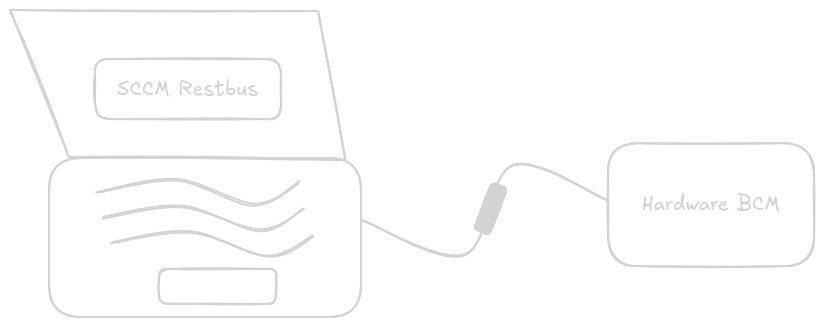
Given only a database file and a small YAML configuration, RemotiveTopology handles network interface setup and Docker container creation automatically. These will instantiate the restbus, as well as providing tooling to analyze and visualize the signals in the platform.
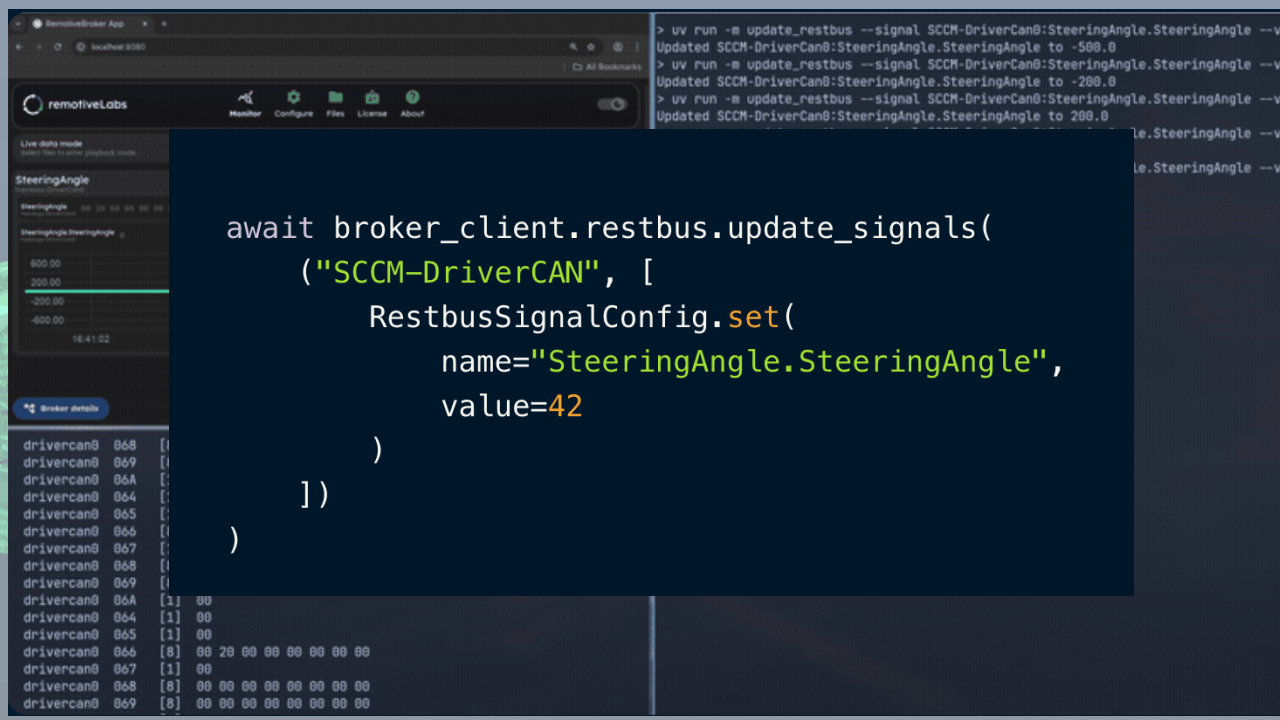
The sample contains a small Python script, showing how the restbus can be controlled and the values emitted can be changed on the fly. This allows you to modify the restbus directly from the terminal.
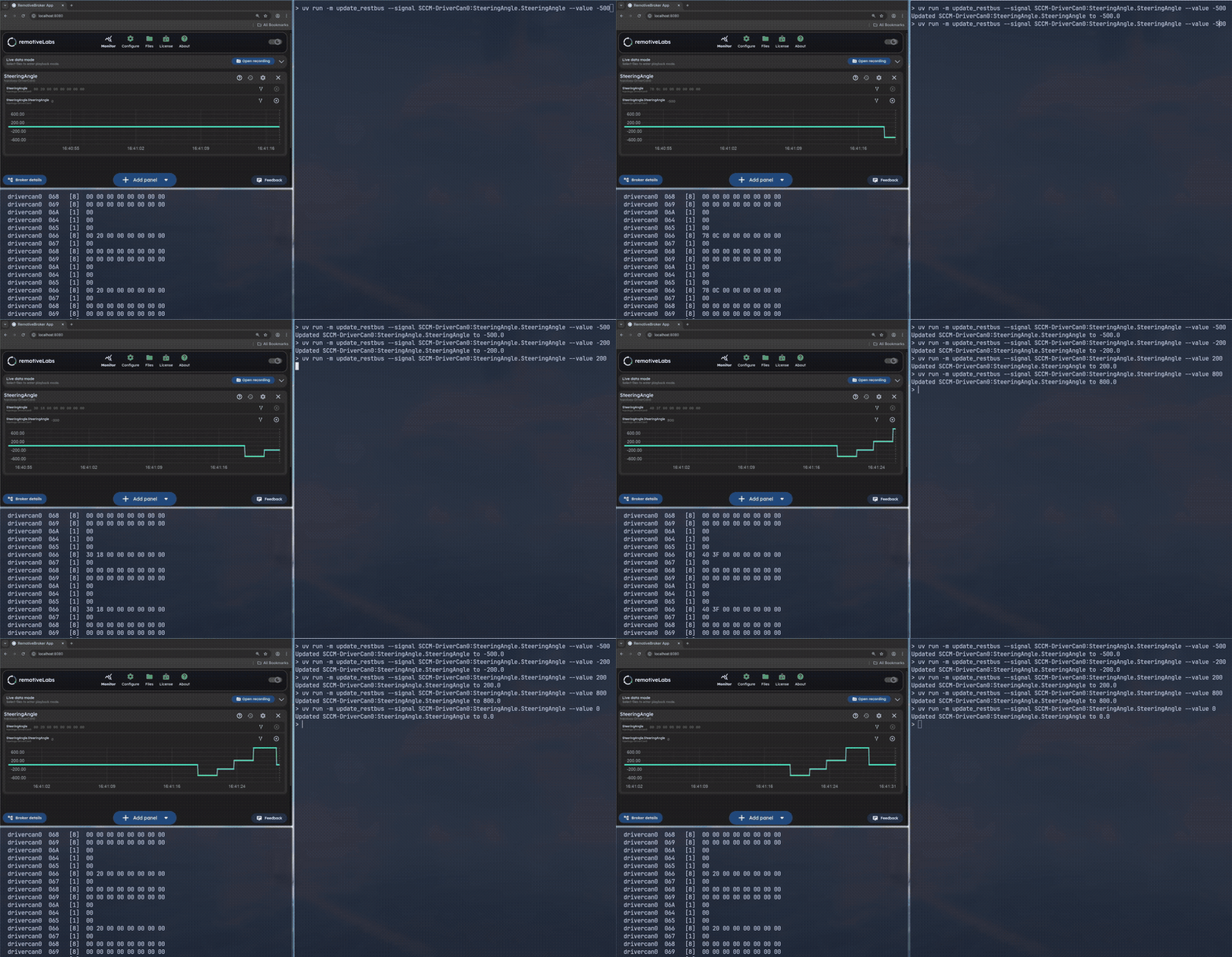
The Python API can also be used for creating flows which both controls which signals to emit and validates responses. This allows for it to be used in a test case where the changes are defined according to a scenario and the hardware component can be subjected to a repeatable test.
await broker_client.restbus.update_signals(
    ("SCCM-DriverCAN", [
        RestbusSignalConfig.set(
            name="SteeringAngle.SteeringAngle",
            value=42
        )
    ])
)
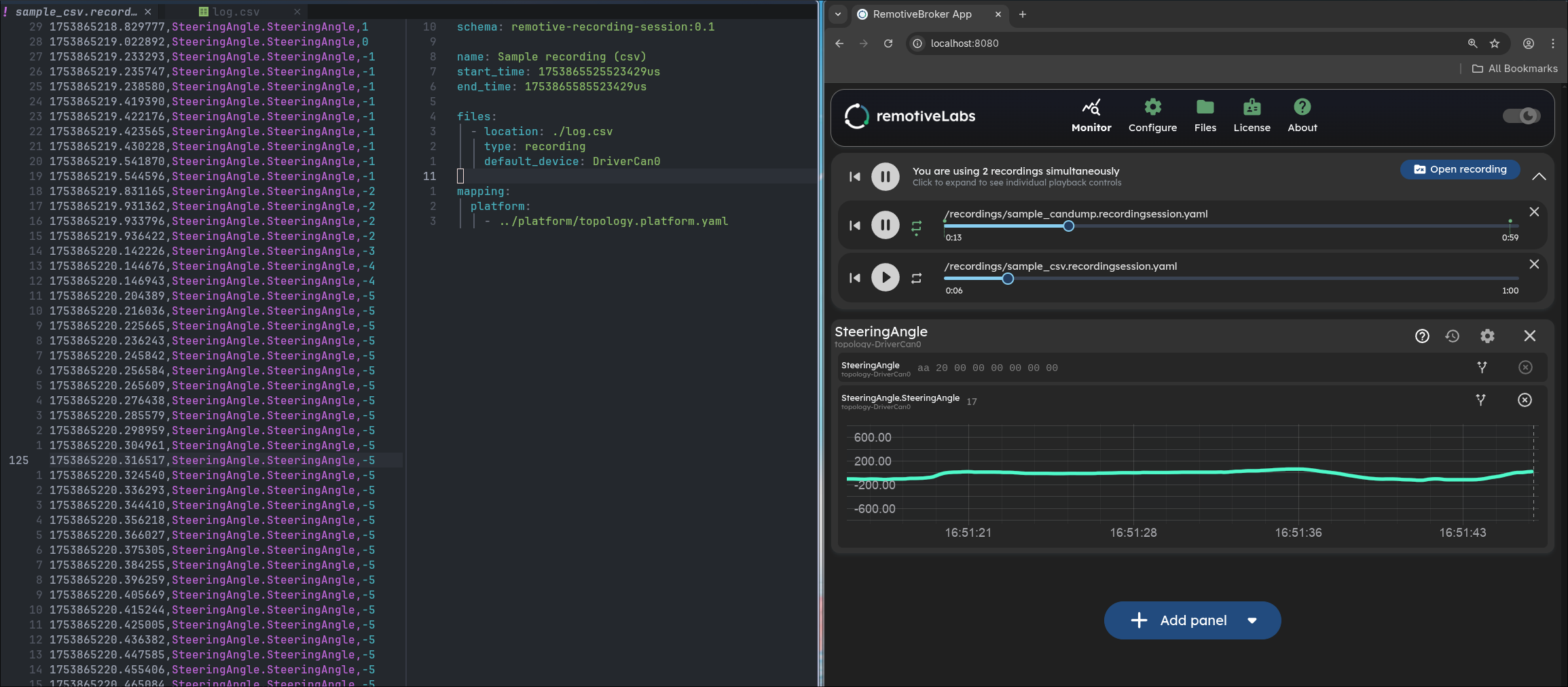
Another way to run deterministic tests is to use recorded data, replayed directly on to the bus. This can be useful when you want to perform tests with a specific sequence of frames or when you have recorded real life data that describes scenarios.
The example shows how to manage and use recorded data as part of the process. You can replay data from multiple sources, both logs from real systems and generated logs, mixed together or onto different buses at the same time. You can jump between different parts of a recording and configure sections to play on repeat. It even supports modifying values in the frames or mapping from one platform specification to another.
Scaling simulation of network scenarious beyond a single ECU
While this example focuses on a single hardware ECU and a simulated restbus, the same approach scales naturally. Additional ECUs can be added as restbus nodes (read more under Virtual integration testing), real hardware can be mixed with virtual components (read more under SIL to HIL), and scenarios can be integrated into automated test pipelines for continuous validation. The sample GitHub repository also contains examples showing more advanced use cases.
From restbus simulation to platform-level testing (CAN, LIN, ETHERNET, FLEXRAY)
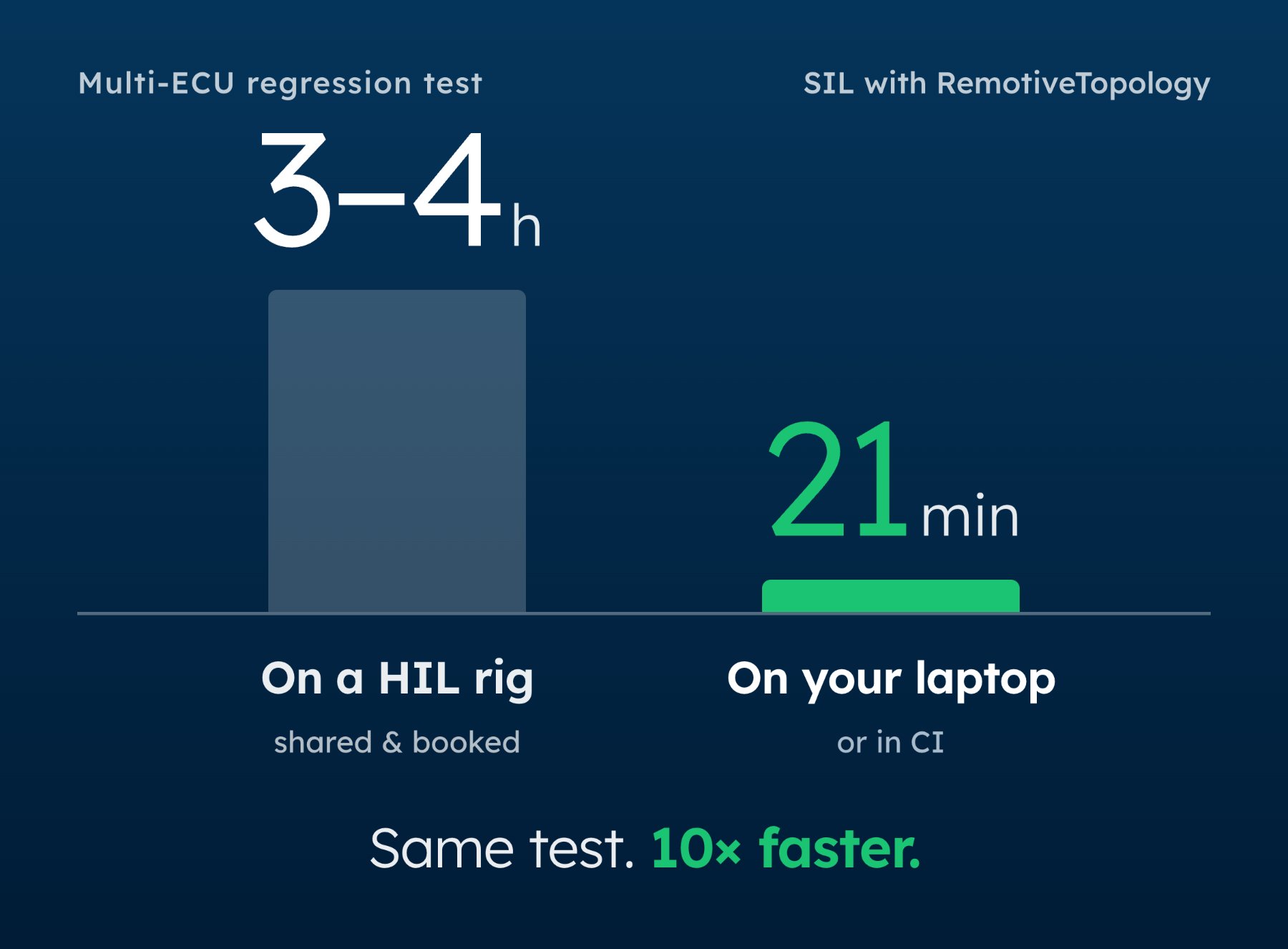
With a programmable and lightweight restbus, testing ECUs becomes significantly simpler and more repeatable. Tests can be written to run across multiple environments with virtual or hardware ECUs. When the scenarios become more complex and involve multiple ECUs, RemotiveTopology can support testing all the way up to full vehicle platforms.
Check out the latest from us


.png)
.jpg)
.jpg)
Join the automotive rebels that #getstuffdone with RemotiveLabs!