Running full vehicle simulations across multiple machines
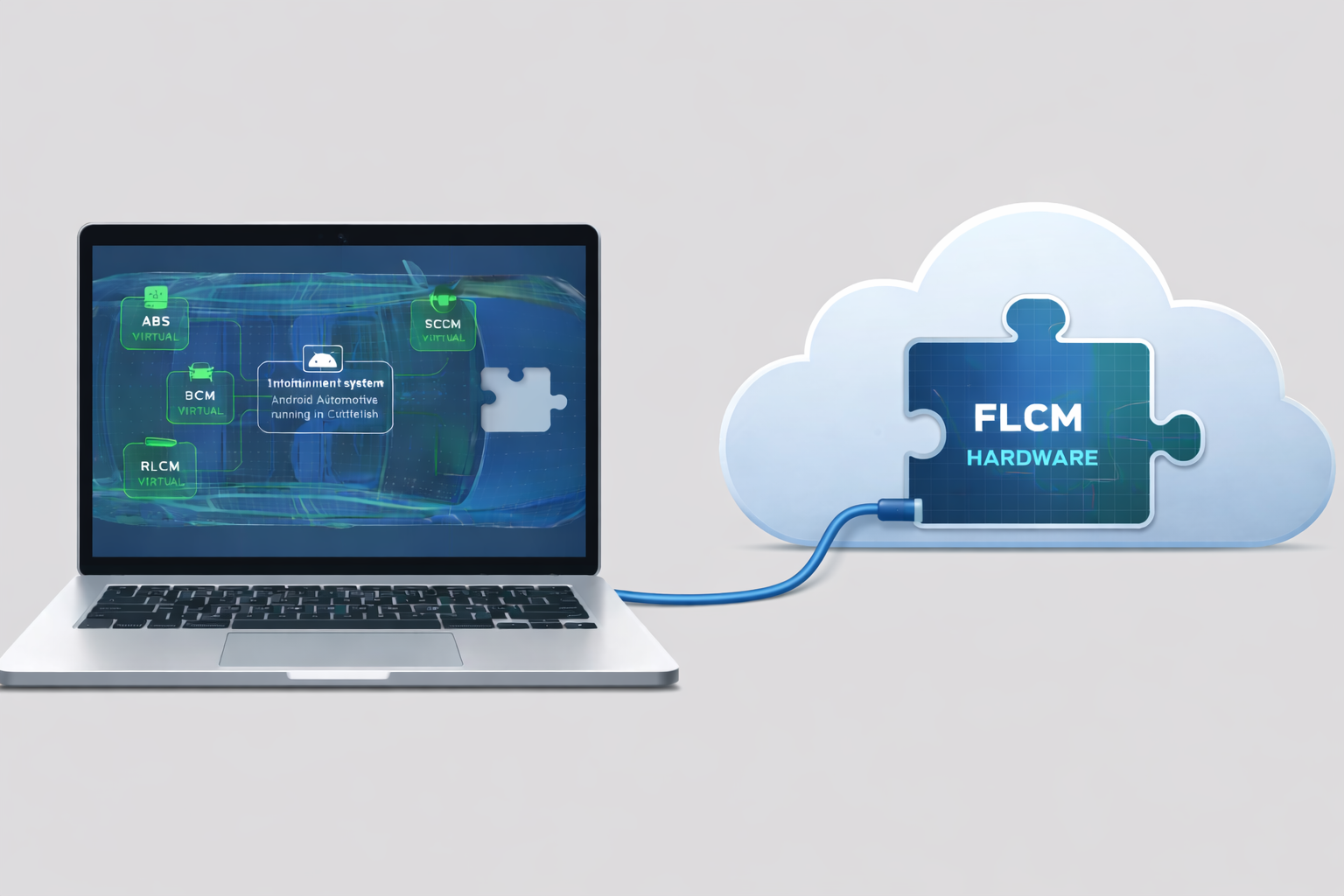
Leverage cloud compute for testing. This post shows how RemotiveTopology makes it possible to run full vehicle simulations across multiple machines using standard Linux networking tools. Illustration: A vehicle topology running on a developer’s laptop except FLCM (Front Light Control Module) running on a cloud instance.
When a laptop is not enough
Modern vehicle software quickly outgrows what a single developer machine can handle. Accurate system-level testing depends on running sufficiently large and realistic vehicle topologies. Sometimes running a topology and testing it on a local laptop is simply not feasible. A component may require a specific platform architecture, depend on hardware that cannot be connected to the developer’s machine, or need more CPU or memory than a laptop can provide. In such situations, it becomes necessary to offload parts of the system to a more suitable machine while still keeping other parts local.
Why run distributed vehicle simulations with RemotiveTopology?
This post shows how RemotiveTopology makes it possible to run full vehicle simulations across multiple machines using standard Linux networking tools. By dividing a topology rather than simplifying it, developers can increase system accuracy without overloading a single machine. The use case demonstrated is running Android Cuttlefish natively on an ARM machine, without having access to an arm64 laptop. To enable this, Android Cuttlefish is executed on a cloud-based ARM bare metal instance, while the remaining parts of the vehicle topology run locally.
This requires the topology to be split across machines, with ECUs communicating over shared SOME/IP and CAN networks as if they were running on a single system. While specific, the same approach applies to any vehicle topology where parts of the system must run on different hardware or require more resources than a local setup can provide.
The commands shown below are illustrative examples; exact tools and parameters will vary depending on environment and network setup.
Prerequisites: running Android Cuttlefish on a distributed ARM machine
A basic prerequisite is that there are two machines. These can be a local laptop, virtual machines, different machines on the same network, or cloud instances. They must be able to reach each other over IP, which means that they are either on the same network or at least one of them has a public IP address.
Any non-local machine must also have the developer’s SSH keys added to be able to configure and use it.
The following standard Linux tools used:
- WireGuard
- ssh
- rsync
- socat
Connecting machines to run distributed vehicle simulations
The first step is to set up a secure tunnel between the machines. This secures the communication and provides a stable network interface that the rest of the configuration can use. WireGuard has been verified to work well together with this example but other tunnel solutions could work as well.
https://www.wireguard.com/quickstart/
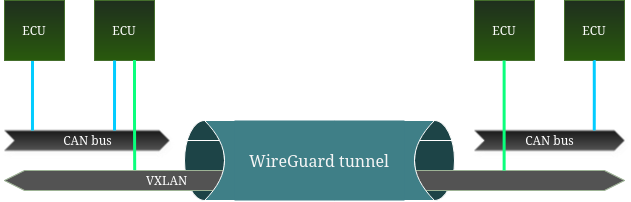
The second step is to create overlay networks for the Ethernet networks that will need to be bridged between the machines. This can be achieved using VXLAN networks which will encapsulate and forward packets on the network. Connected nodes appear as being on the same network even when they are physically separated.
For example, if two ECUs run on different machines and communicate over a SOME/IP network there needs to be a VXLAN network interface created for it. The interface should be configured with its peer being the IP address of the other machine on the WireGuard network.
# Sample configuration for a single instance
ip link add vxlan10 type vxlan id 10 dev wg0 remote 10.8.0.2 dstport 4789
ip link set vxlan10 up
ip link add someip type bridge
ip link set someip master vxlan10
ip link set someip up
If there are multiple different networks that need to be bridged, there needs to be separate VXLAN and bridge network interfaces created for each with different names and ids. The names of the bridge network also need to match the names in the instance configuration.
Splitting a topology instance for distributed execution
To be able to run a topology across different machines, it needs to be split into two parts. Think of it as running two different instances of the same platform on different machines that happen to share the same underlying networks. If the starting point is a larger instance that is to be split, simply duplicate the instance file and remove the parts no longer needed on each “side” and adjust the name. A strength here is if the instance is structured to be composable using the “includes” key, it becomes straightforward to create different variations of an instance by adding/removing items from the list of includes.
The instances can be generated in the same way as a normal instance. This will create configurations where each of them is a “full” topology which can be managed, tested and observed on its own.
Running distributed vehicle topology instances
Once the instances have been generated, the build output and model code needs to be copied over to the machine where it needs to run. Folder layout may differ, but if both the code for the models and the build folders are in the current directory, an easy way is to copy everything over with "rsync" but other alternatives could work just as well.
rsync -chavzP /path/to/local/folder username@hostname:/path/to/remote/folderAfter the code has been transferred, the instances can be started as usual:
docker compose -f build/<instance_name>/docker-compose.yml --profile ui upThe topology should now be running but not yet fully connected. The final step is to bridge any CAN networks that ECUs on both sides use. This can be done easily by using the "socat" utility to forward the traffic between the buses. A side effect of a distributed CAN network is that timings and order of frames may not be the same as when run on the same physical bus but that is acceptable in this use case.
# machine1:
socat INTERFACE:can0,pf=29,type=3,prototype=1 UDP4-LISTEN:20000,reuseaddr,fork &
# machine2:
socat INTERFACE:can0,pf=29,type=3,prototype=1 UDP4:10.8.0.1:20000 &
Once this is in place there should be a fully functional topology running where data will pass between the instances in the same way as if they were on the same machine.
Observing and testing distributed vehicle simulations
Observing signals and testing the system works largely the same way as when running locally. The difference is that the ports for the RemotiveBroker and the web app must be forwarded to the remote system.
ssh username@hostname -L 8081:localhost:8080 -L 50052:localhost:50051This enables the ability to use the web app to browse and display the signals on the remote system. By configuring the tests to use the forwarded port for the RemotiveBroker, tests can be run that interact with both instances to send or verify signals, even when they are physically separate.
By building RemotiveTopology to integrate with open standards and default tooling, the Linux ecosystem can be leveraged to enable scalable and accurate vehicle simulations across machines.
Check out the latest from us

.png)
.jpg)
.jpg)
Join the automotive rebels that #getstuffdone with RemotiveLabs!